Tank Squad

- Platforms: PC
- Developer: DeGenerals S.A.
- Year: 2025
- Genres: Action, Indie, Simulation
- Tags: Single-player, Multi-player, Co-op, Online Co-op, Steam Achievements, Steam Workshop
- Operating systems: Windows
Price comparison
Prices as listed by the stores, updated 2026-10-25. The store price is final.
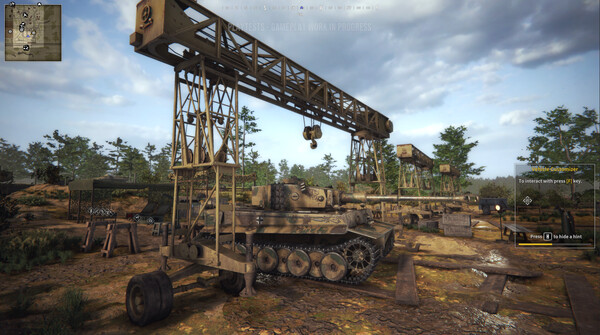
Tank Squad is a Action, Indie, Simulation game from 2025 by DeGenerals S.A.. Available on PC. This page lists the system requirements, a quick check of whether your PC can run it, and a price comparison between stores.


Quick check
This check compares memory and disk space only. Compare your CPU and graphics card with the requirements above manually.Minimum requirements
Minimum:
Requires a 64-bit processor and operating system
OS: Windows 10 (64-bit)
Processor: Intel Core i5-8400 / AMD Ryzen 5 1600
Memory: 16 GB RAM
Graphics: 6 GB VRAM, GeForce GTX 570 / Radeon HD 6970
DirectX: Version 11
Storage: 25 GB available space
Additional Notes: The game supports DLSS and FSR upscaling algorithms. If you're experiencing low FPS and your GPU supports any of these algorithms - try them out. Game loads much faster on SSD, HDD sometimes cause the game to freeze while loading the game and require restart (after restart the game loads correctly). If you're experiencing crashes while loading - it might be that the game takes up too much RAM - to quickly fix it you can lower the Texture Quality setting.
Recommended requirements
Recommended:
Requires a 64-bit processor and operating system
OS: Windows 10 (64-bit) or newer
Processor: Intel I7 (11 generation), AMD Ryzen 9 5900
Memory: 32 GB RAM
Graphics: 8 GB VRAM (GeForce RTX 4070 / AMD RX 7900 GRE), a GPU that supports DLSS or FSR upscaling filter
DirectX: Version 12
Storage: 25 GB available space
Additional Notes: The game supports DLSS and FSR upscaling algorithms. If you're experiencing low FPS and your GPU supports any of these algorithms - try them out. Game loads much faster on SSD, HDD sometimes cause the game to freeze while loading the game and require restart (after restart the game loads correctly). If you're experiencing crashes while loading - it might be that the game takes up too much RAM - to quickly fix it you can lower the Texture Quality setting.